

The JunkFlo process

One clear workflow from first call to final payment.

Keep the office, estimator, crew, and customer moving through the same connected process without losing details between steps.

01 Capture Lead and client details
02 Estimate Scope and pricing
03 Dispatch Crew and schedule
04 Complete Invoice and follow-up
How work moves

Every step gives the next person what they need.

JunkFlo keeps job information attached to the customer from the first conversation through payment, so teams spend less time searching and repeating work.

Office coordinator taking a new junk removal customer call
01 Lead intake

Capture the opportunity while the customer is on the phone.

Create the client record, save the service address, record what needs to be removed, and keep important notes attached to the opportunity.

  • Residential and business client profiles
  • Phone, email, address, and job notes
  • Lead status and next-action visibility
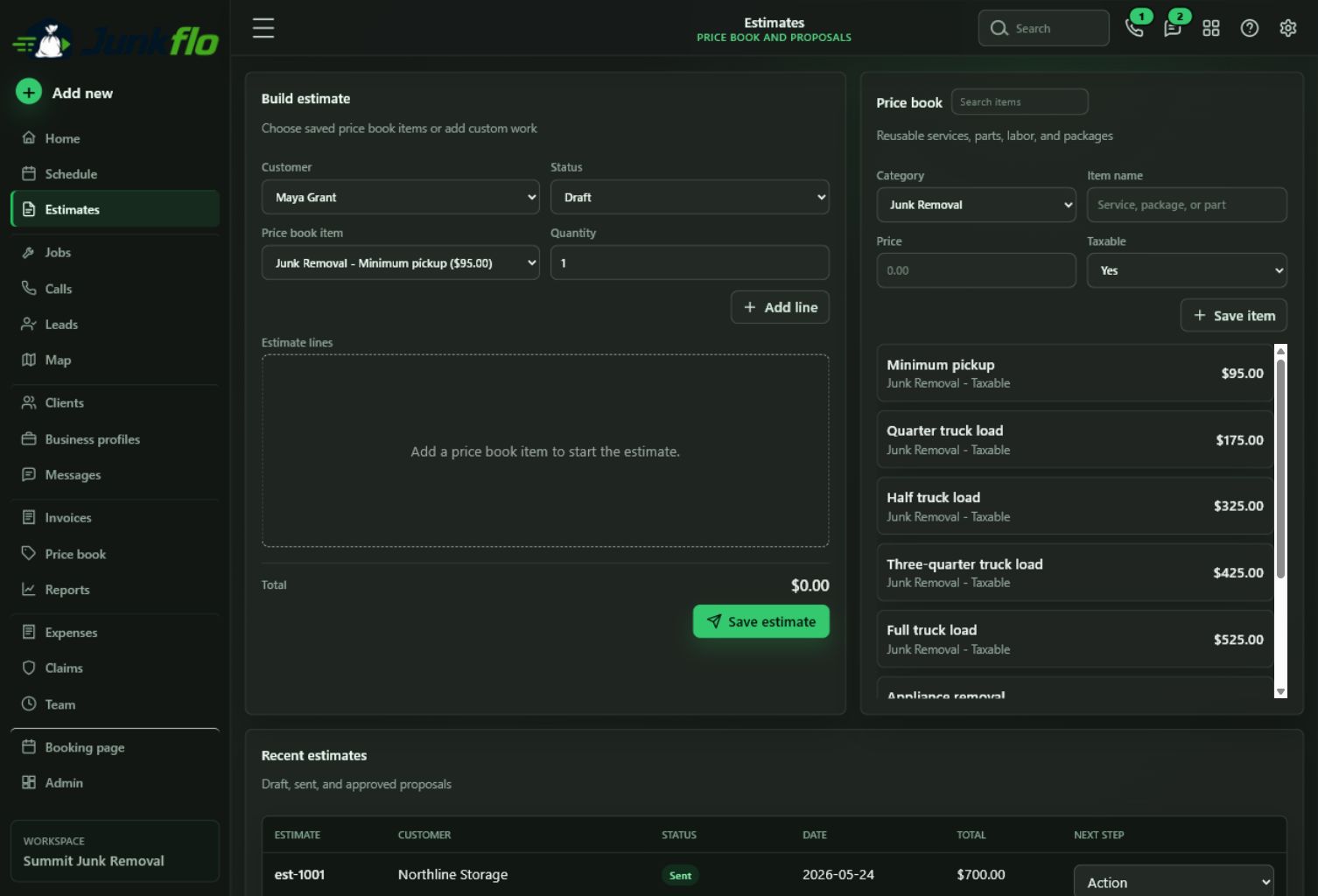
JunkFlo Estimates page showing estimate building and price book tools
02 Estimate

Turn the job scope into a consistent, professional quote.

Use saved services and price-book items to build the estimate, include extra fees when needed, and keep approval status visible to the office.

  • Saved services and common line items
  • Fees, restricted items, and clear totals
  • Draft, sent, and approved estimate tracking
Junk removal crew loading a scheduled pickup while the crew lead checks a tablet
03 Schedule and dispatch

Put the right crew at the right job with the details already in hand.

Choose the appointment time, assign the crew, and give the team a clear view of the customer, location, scope, and day’s upcoming work.

  • Calendar and upcoming-job visibility
  • Crew assignment and appointment details
  • Business hours and major-holiday availability
Customer reviewing a completed junk removal invoice with a crew lead
04 Complete and collect

Finish the job, send the invoice, and keep follow-up visible.

Move completed work into billing, track the invoice from draft through payment, and keep open balances from disappearing after the truck leaves.

  • Draft, open, paid, and overdue invoices
  • Job history connected to the client
  • Clear follow-up for the office team
One connected workspace

Less handoff confusion. More jobs moving forward.

Explore the live JunkFlo workspace and follow the process from scheduling through invoicing.